 Over & Out
Count the balls.
Feel the over end.
The over counter for cricket umpires. Tap once a ball and your Apple Watch gives a firm run of taps when the over is complete. It runs on the watch alone: no phone, no account, no internet.
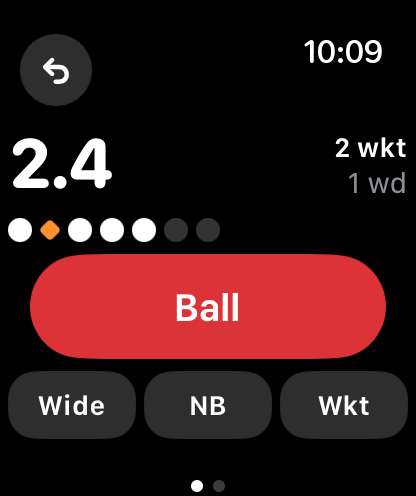
The main screen on an Apple Watch: 2.4 means two overs and four balls. An orange diamond marks a wide, which does not count.
Built for umpires
One tap a ball
The over count moves on with each valid ball, shown in cricket notation: 3.4 is three overs and four balls.
Felt, not watched
A distinct run of three taps when the sixth valid ball is counted. You do not have to look down to know.
Honest counting
Wides and no-balls are logged, but they are not valid balls, so the over runs on until it has the right number.
Watch only
No phone, no account, no internet. Everything stays on your wrist.
Every signal has its own feel
The watch can only play its built-in taps, so each signal is a different tap or a run of them. You can tell them apart with your eyes on the game.
- Balla firm single tap
- Wide or no-balla lighter rising tap
- Wicketa success tap
- Over completethree firm taps in a row
- Undoa short retry tap
- Not alloweda failure tap, for a bowler at their limit or bowling back to back
What it does
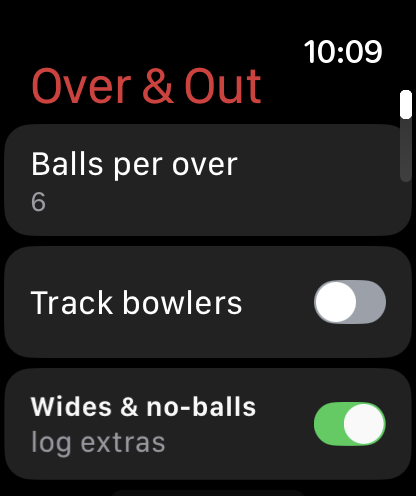
- Over length of 5, 6 or 8 balls, remembered for next time
- Wides and no-balls logged, and not counted as valid balls
- Wickets, including a stumping or run-out off a wide or no-ball: hold Wide or NB
- One-tap Undo, including the ball that completed an over
- Optional bowler tracking with a maximum number of overs per bowler
- No bowler bowling two consecutive overs, as the Laws require
- Optional free-hit flag after a no-ball, for the competitions that use it
- Change the bowler mid-over if one is hurt or suspended
- New innings in one tap, with the counts back to 0.0
- Every tap is saved, so a closed app or a restart loses nothing
Count it your way
Tap Ball
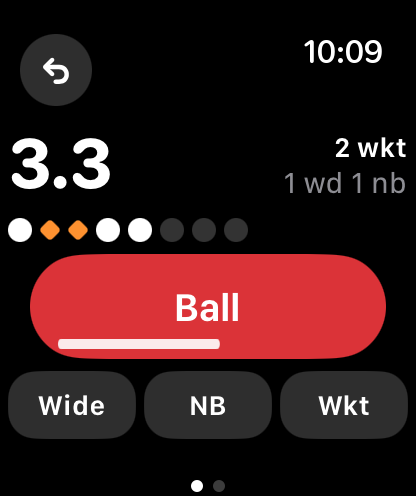
The big Ball button, with Wide, NB and Wkt underneath. Switch off the buttons you do not use and Ball gets the room.
Double tap (pinch)
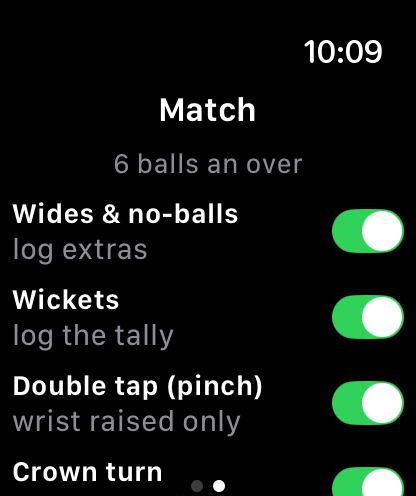
On watches that support Double Tap, a pinch of finger and thumb counts a ball. It needs the screen awake with your wrist raised.
Turn the Crown
A turn of the Digital Crown counts a ball. A short pause after each count stops one spin counting twice, and a bar under Ball shows it.
Double tap and Crown turn are optional settings and off until you switch them on. Double Tap needs watchOS 11 and a supported watch.
On the watch
Made for a long match
Over & Out records a cricket workout, with heart rate and all other sensors switched off, so the app stays on screen between balls instead of dropping back to the watch face.
A watch face complication shows the current over and takes you straight back into the app if you leave it by accident. The Match page shows how long you have been going and what the battery has done, so you can judge a long day.
The workout is saved to Health as a cricket workout with its duration only. You can decline the permission and the counter still works, but the app may drop to the watch face when you lower your wrist.
Your match stays on your watch
No account, no ads and no tracking. Over & Out makes no network connections at all.
Nothing about your match leaves the watch. The cricket workout goes to Apple Health on your own devices, and nowhere else.
What you need
An Apple Watch running watchOS 10 or later. Over & Out installs from the App Store like any other Apple Watch app.
Questions? support@overandoutcricket.app